A project in Tera carries a work breakdown structure (WBS) — the phases, work packages, and cost codes you plan and budget against.
Add a project
Projects (and customers) are master data: go to Admin → Reference Data → Projects to add them.
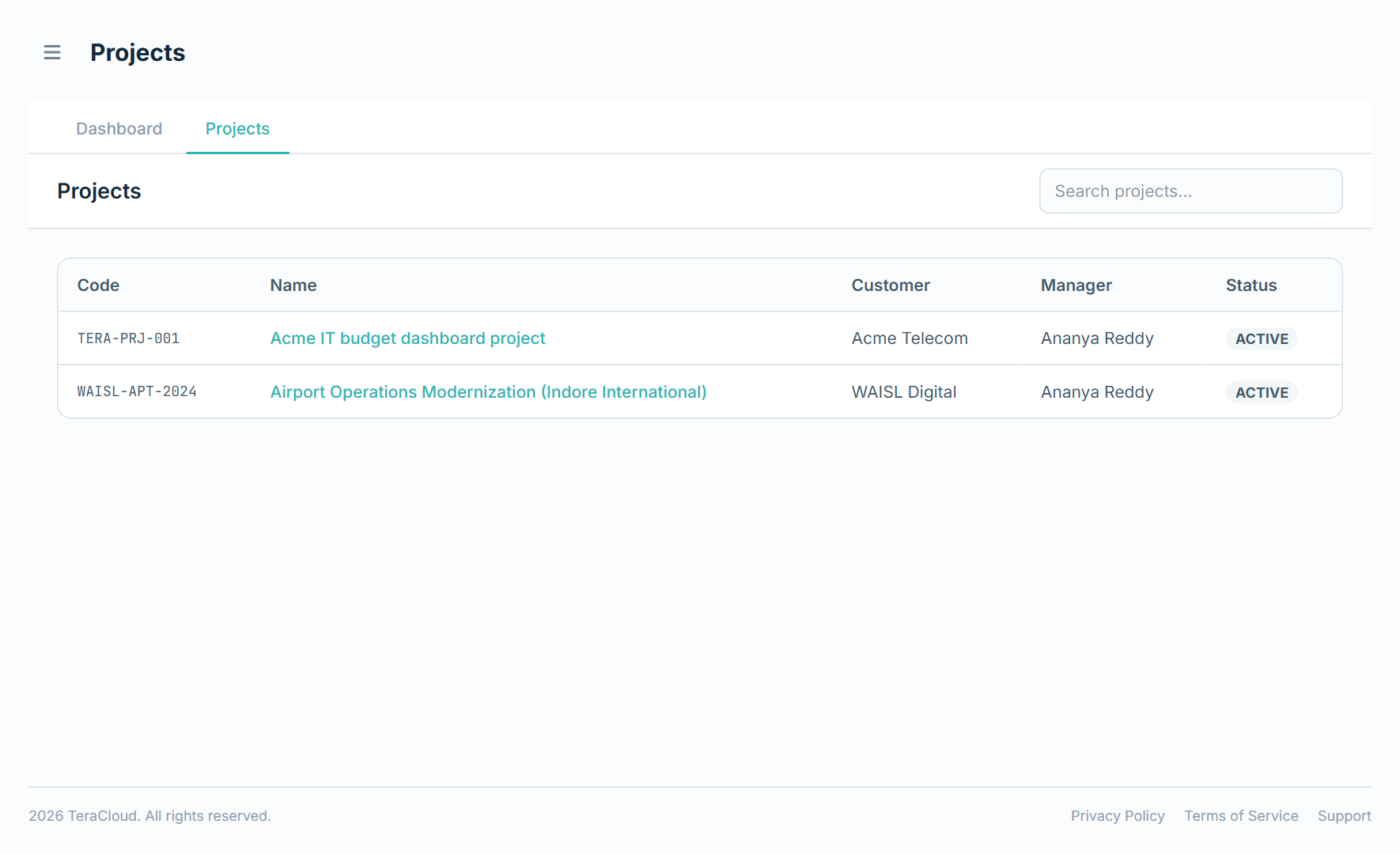
They then appear under Projects → Projects, listed with Code, Name, Customer, Manager, and Status, with search.
Build the work breakdown
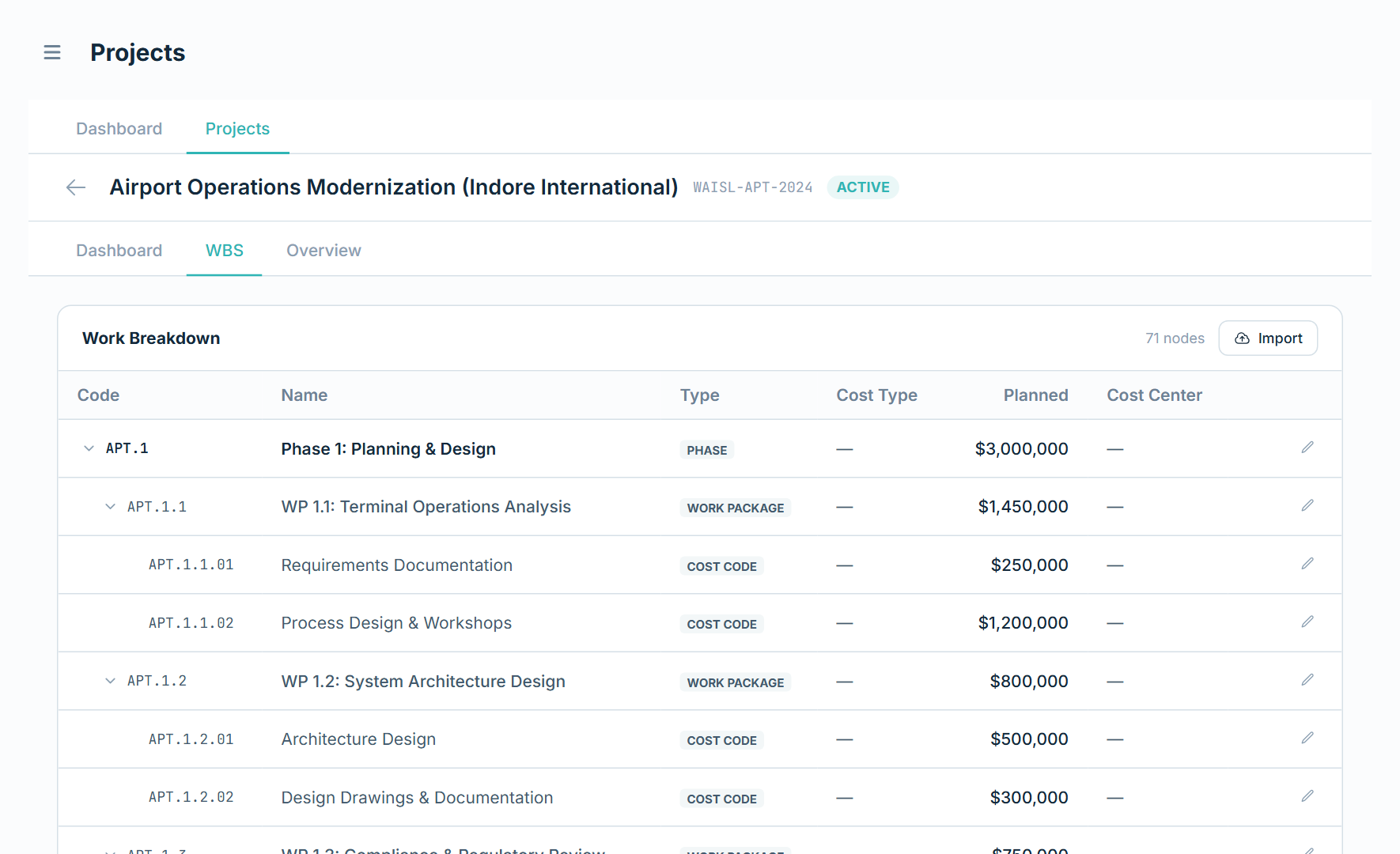
- Open a project and go to its WBS tab.
- Click Import — or, if the project has no WBS yet, use the prompt on the empty state.
- Download the template, fill in your phases, work packages, and cost codes, then upload it.
(The same importer is available at Team → Import → WBS.)
The tree shows Code, Name, Type, Cost Type, Planned, and Cost Center. Node types are Phase, Deliverable, Work Package, and Cost Code; the Cost Type applies to cost codes.
Planned amounts and roll-up
A node shows its own Planned figure where you've set one, otherwise the total of its children, marked rolled up. If a parent's own figure doesn't match its children, Tera flags the difference as unallocated (amber) or over (red) so you can correct it.
Editing
You can edit Name, Cost Type (cost codes only), Planned, and Cost Center directly in the tree. The code, type, and a node's parent can't be changed.
Note: Importing adds nodes — it doesn't rename or re-parent existing ones. To restructure a breakdown significantly, import it into a new project.